Telegram PRIME – Account Transfer.
Please note that the account must already be registered in Telegram. I.e., this does NOT work for new phone numbers.
What you’ll need:
- Download the transfer profile (click).
- Save the downloaded profile to any convenient folder, for example
\Downloads\.
- In the program, navigate to
Account Transfer > Account Transfer and import the downloaded JSON profile.
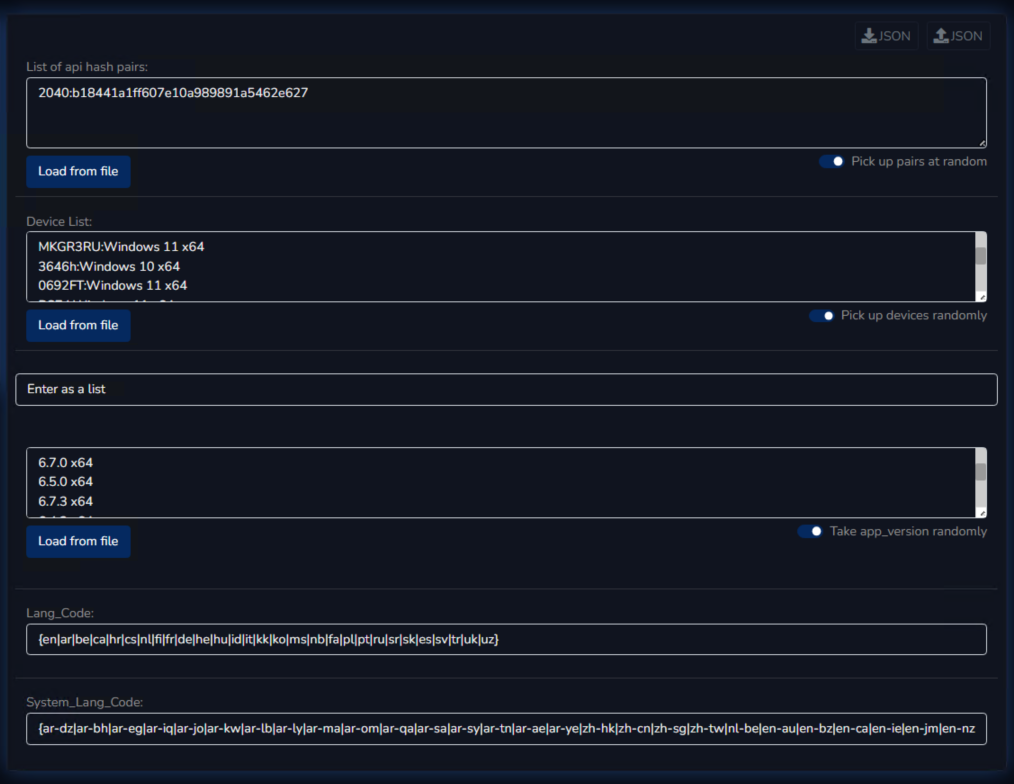
- You can set the application version to the current latest one.
- Don’t forget that proxies play a crucial role, i.e., they must be of high quality.
- It is advisable to confirm the creation of the new session on your phone after the transfer.
- Also remember that Telegram is extremely strict about new account sessions, i.e., the risk of a new session being banned is very high. It is not recommended to start full-scale account activity immediately after transfer, i.e., send messages or invites only after 48+ hours; before that, you can try profile changes, subscriptions, reactions, etc.
- We strongly do not recommend inexperienced users to transfer their personal/work account, as if you do something wrong due to inexperience, you risk losing it forever.
Let me briefly show the process step by step:
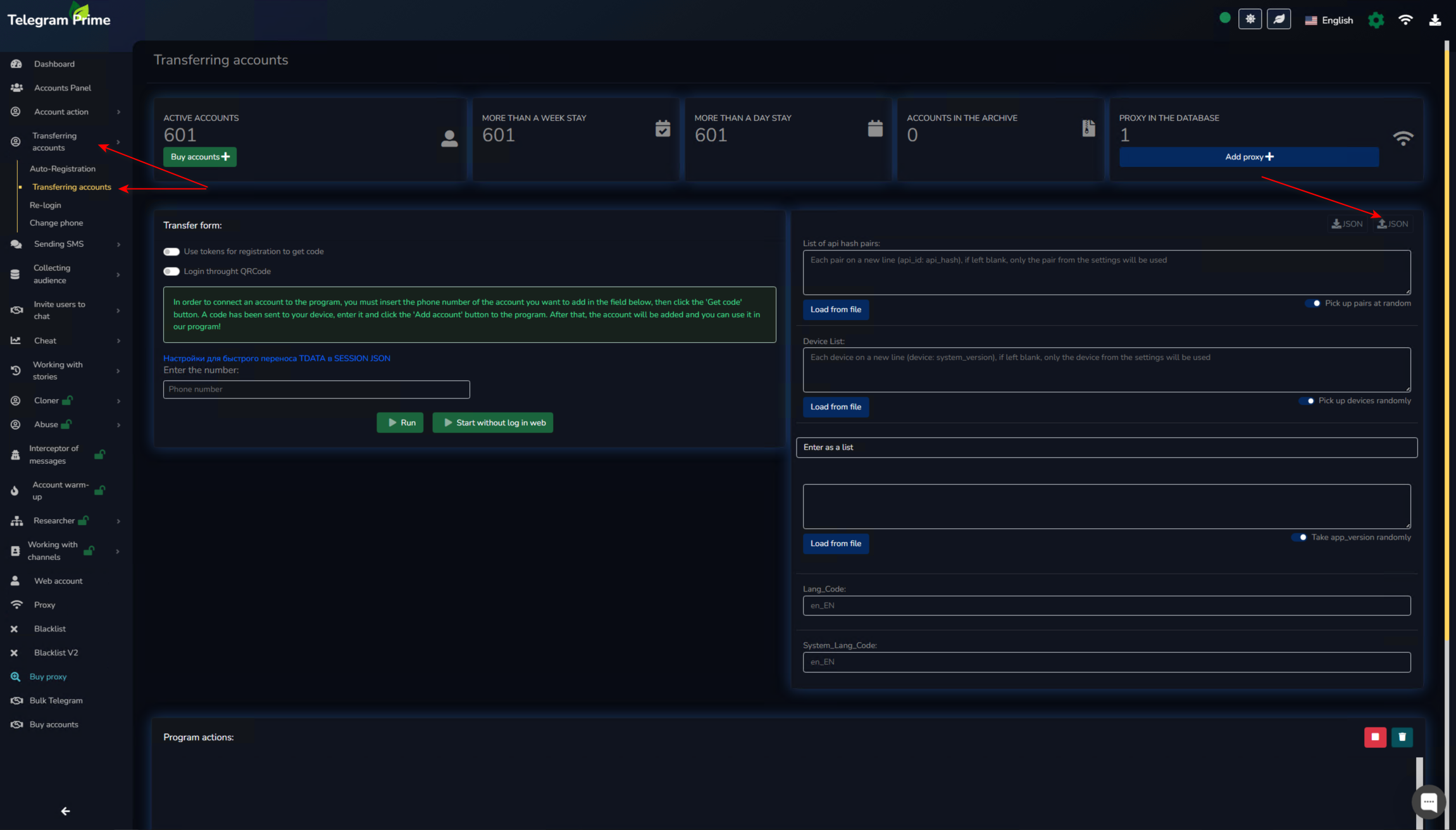
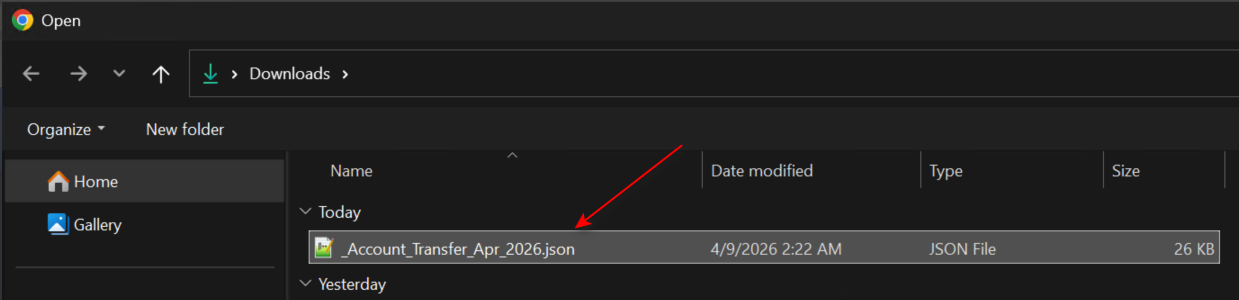
We receive imported data for device emulation:
Now simply enter the phone number to receive the code, and the code itself; then the program will ask for 2FA if it is enabled.

